
Vietnam Visa Photo Online Free: Size & Editing Guide
Latest update: Oct 22nd, 2026
Table of Contents
- What Are the Requirements for a Vietnam Visa Photo?
- How Can You Make a Vietnam Visa Photo Online for Free?
- How Much Does It Cost to Create a Vietnam Visa Photo?
- How Can You Avoid Problems With Your Vietnam Visa Photo?
- Common Questions About Free Vietnam Visa Photos
- Prepare Your Vietnam e-Visa With Expedite Vietnam Visa
Preparing a digital photograph for a Vietnam e-Visa application does not necessarily require visiting a professional photo studio. With a smartphone and a suitable editing tool, travellers can create a compliant portrait from home. Searching for Vietnam visa photo online free allows applicants to find tools for cropping, resizing, and adjusting photographs without paying an editing fee. Expedite Vietnam Visa explains the official photo requirements, how to prepare your image, and which costs to consider before submitting your application.
What Are the Requirements for a Vietnam Visa Photo?
A Vietnam e-Visa photo must meet specific requirements for dimensions, file format, appearance, and background. Free online photo editors can help adjust technical details, but the original photograph must clearly represent the applicant without misleading modifications.
What Size Should a Vietnam e-Visa Photo Be?
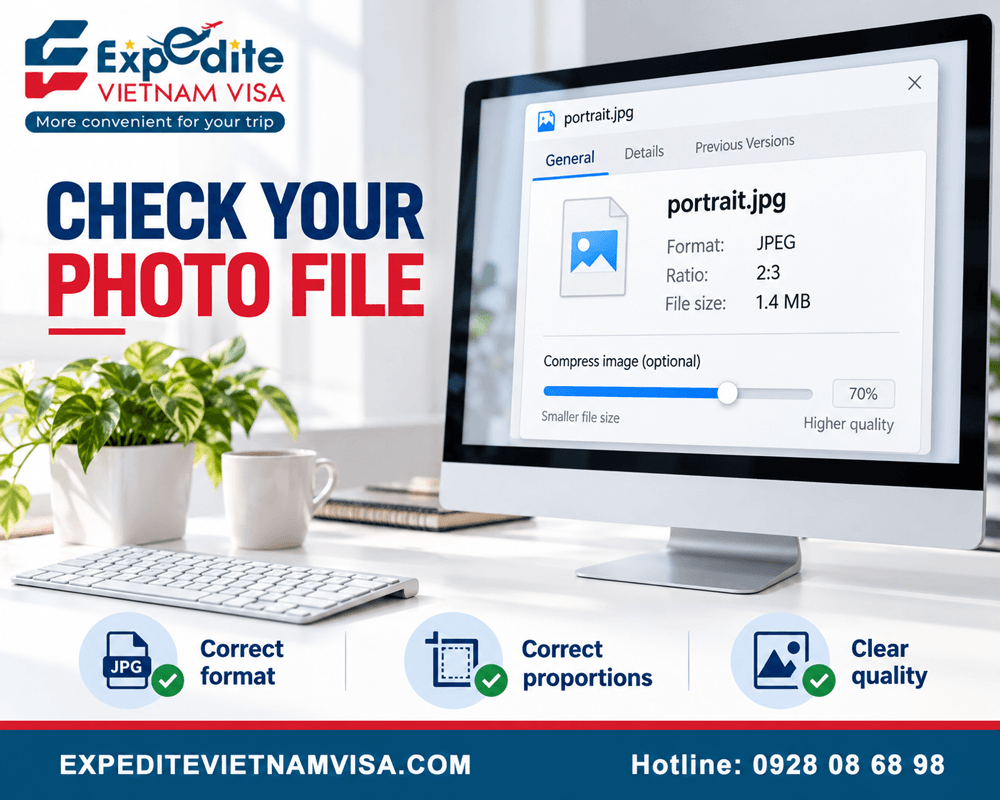
The required portrait size for a Vietnam e-Visa application is 4 × 6 cm, with a width-to-height ratio of 2:3.
Applicants should preserve this proportion when cropping their photographs. Stretching an image to fit the required dimensions can distort facial features.
The size of photo for Vietnam visa is important when preparing images for online submission.
What Background and Facial Appearance Are Required?
Vietnam e-Visa applicants should use a recent, front-facing photograph with a plain white background.
The face should be clearly visible, with natural lighting and no distracting shadows.
Important requirements include:
Look directly at the camera.
Avoid hats and glasses.
Wear appropriate clothing.
Keep facial features clearly visible.
Use a clean white background.
Avoid beauty filters and excessive retouching.
Applicants can use these criteria to assess their photographs before editing.
Which File Format and Size Should You Upload?
The official e-Visa procedure specifies JPEG images with a file size not exceeding 2 MB.
JPG and JPEG are commonly used extensions for the same image format.
Photo requirement | Specification |
|---|---|
Dimensions | 4 × 6 cm |
Aspect ratio | 2:3 |
Background | White |
Image format | JPG/JPEG |
File size | No more than 2 MB |
Face position | Front-facing |
Glasses and hats | Not permitted |
Photograph | Recent and clearly focused |
The Vietnam visa digital photo requirements provide additional context about preparing digital images for an e-Visa application.
How Can You Make a Vietnam Visa Photo Online for Free?
You can create a Vietnam visa photo online using a smartphone photograph and a free editing tool. The main steps involve taking a suitable portrait, cropping it to the required proportions, and exporting a clear JPEG file.
Step 1: Take a Clear Passport-Style Photograph
Stand against a plain white wall in a well-lit location.
Position your smartphone camera at eye level and face directly towards the lens. Ask another person to take the photograph if necessary.
Avoid strong overhead lighting, dark shadows, and portrait filters. Leave enough space around your head and shoulders for accurate cropping.
Step 2: Resize and Adjust Your Photo Online
Open a photo-editing tool that supports custom dimensions, cropping, and JPEG export.
Select a 2:3 aspect ratio corresponding to the required 4 × 6 cm portrait.
Centre your face and ensure your head is not cropped.
Free tools such as browser-based photo editors may also offer background adjustments. However, replacing the background should not distort hair, ears, or facial contours.
The Vietnam visa photo size should be checked before saving the final image.
Step 3: Download and Check Your Edited Photo
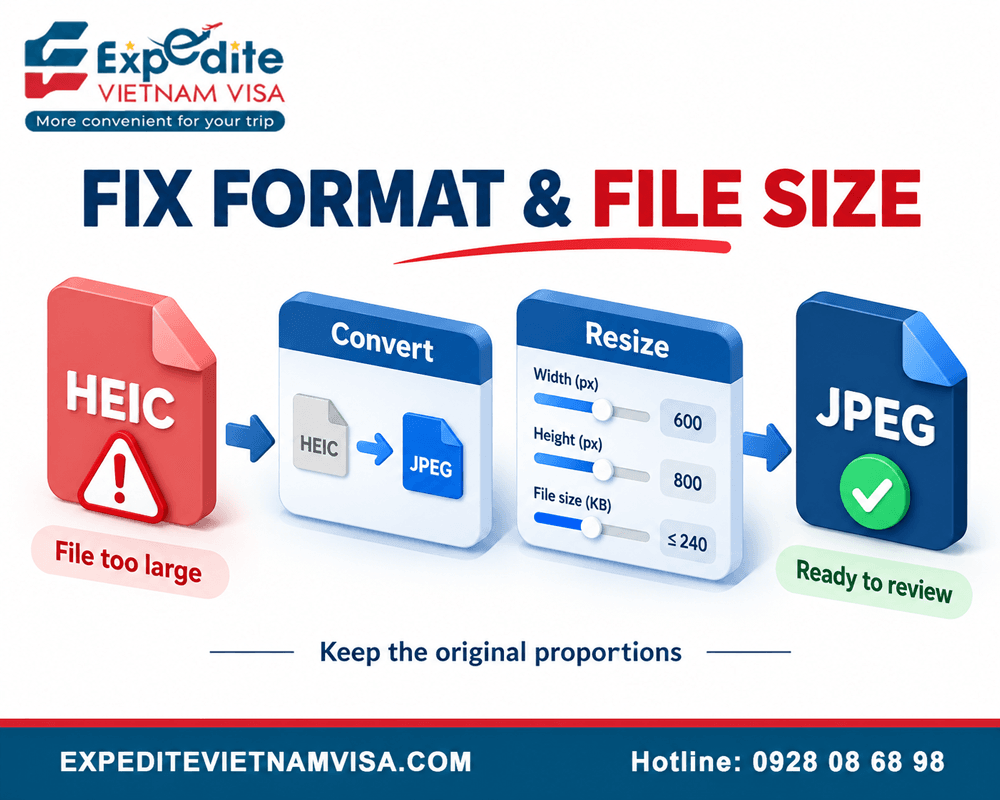
Export the image in JPG or JPEG format and confirm that the file remains within the permitted size limit.
Open the downloaded photograph at normal viewing size to examine its quality.
Check that the image:
Is sharp and properly exposed.
Maintains natural facial proportions.
Has a white background.
Includes the complete face.
Meets the required aspect ratio.
Opens correctly as a JPEG file.
Keep the original photograph in case further adjustments are required.
How Much Does It Cost to Create a Vietnam Visa Photo?
Creating a Vietnam visa photo can be free when travellers take their own photographs and use complimentary editing tools. However, professional photography, premium editing features, visa application fees, and optional assistance services may involve additional expenses.
Are Free Online Vietnam Visa Photo Tools Available?
Yes. Several online tools offer complimentary cropping, resizing, and photo downloads.
Examples include Ohata and MakeIDPic, which advertise free photo-editing features.
Before uploading personal photographs, check the provider's privacy practices, supported output formats, and download conditions.
A free editor cannot guarantee immigration acceptance. Applicants remain responsible for checking their images against official requirements.
What Are the Estimated Photo Preparation Costs?
The following table separates complimentary editing options from services that may involve payment.
Photo preparation option | Reference cost |
|---|---|
Take a photo with your smartphone | US$0, using an existing device |
Free online cropping and resizing | US$0 with a free editor |
Free JPEG export | US$0 where included |
Premium online editing | Varies by provider |
Professional photography studio | Depends on location |
Visa document assistance | Contact for a quotation |
These are general preparation costs, not published service prices from Expedite Vietnam Visa.
Contact Expedite Vietnam Visa for a quotation if you need assistance reviewing your visa documents or preparing an application.
Are Visa Application Fees Included in Free Photo Editing?
No. Free photo editing does not include the government e-Visa application fee.
The official government fees are US$25 for a single-entry e-Visa and US$50 for a multiple-entry e-Visa.
Private visa assistance may involve separate service charges.
The Vietnam e-Visa application guide explains how document preparation fits into the overall submission process.
How Can You Avoid Problems With Your Vietnam Visa Photo?
Photo preparation errors can affect the submission of a Vietnam e-Visa application. Applicants should review their image quality, confirm the file format, and distinguish portrait requirements from passport information-page requirements before uploading documents.
Why Might an Online Visa Photo Be Rejected?
An unsuitable photograph may require correction or prevent an application from proceeding normally.
Common problems include blurred images, incorrect backgrounds, poor lighting, facial obstructions, and files that do not meet the required specifications.
Overedited photographs can also make identity verification more difficult.
Use a natural image that accurately represents your current appearance.
Should You Edit Your Passport Photo and Passport Scan Differently?
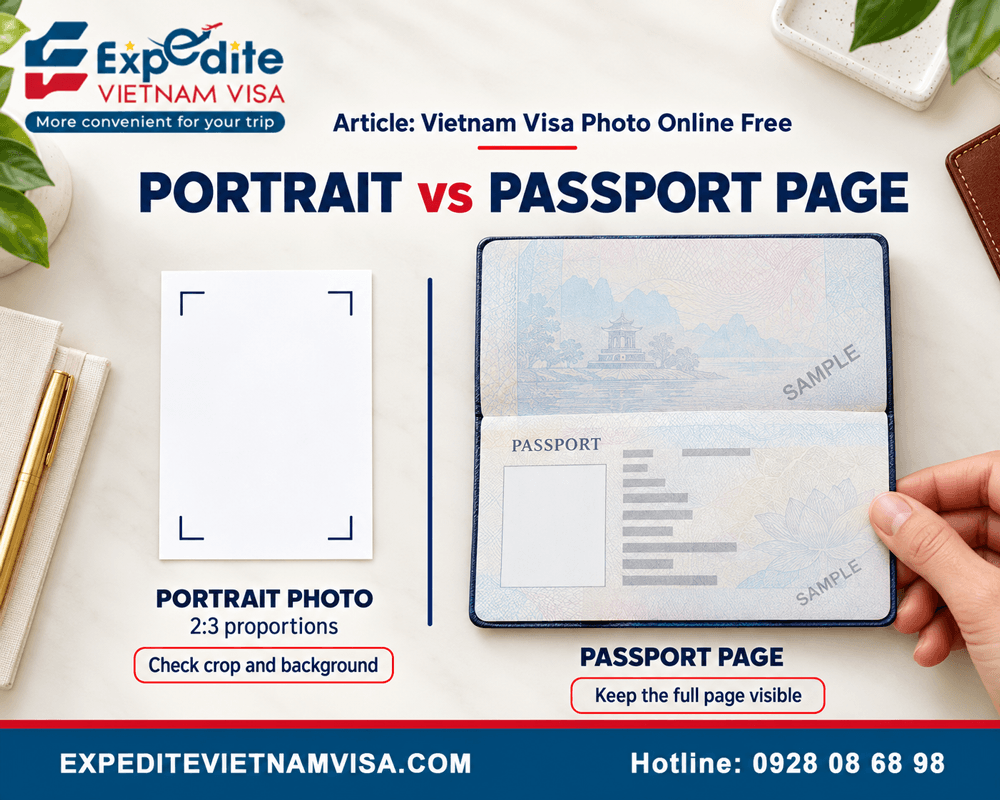
Yes. The portrait photograph and passport information-page image serve different purposes.
The portrait must follow the specified photo dimensions and appearance requirements.
The passport image must clearly display the original document's identifying information. Do not remove text, alter security features, or crop out relevant details.
The documents required for a Vietnam e-Visa include both images.
What Should You Do If Your Visa Photo Will Not Upload?
First, check the image format, file size, and internet connection.
If the upload fails, try exporting the photograph again as a JPEG without changing its proportions.
You can also refresh the application page or use another supported browser, taking care not to lose previously entered information.
The Vietnam visa website not working guide addresses common technical problems affecting online submissions.
Common Questions About Free Vietnam Visa Photos
Free photo preparation tools can simplify an e-Visa application, but applicants should understand their limitations. These answers address practical concerns about smartphones, editing software, and photo acceptance.
Can I Take a Vietnam Visa Photo With My Phone?
Yes. A smartphone photograph can be suitable when it meets the required dimensions, background, lighting, and image-quality standards. Use the original camera image rather than a heavily filtered or compressed social media photograph.
Can I Change the Background to White Online?
Yes, online editors can help create a white photo background. However, the finished image must preserve natural facial features and accurate hair outlines. Taking the photograph against a white wall from the beginning reduces the need for substantial editing.
Does a Free Photo Editor Guarantee Visa Approval?
No. Free photo tools cannot guarantee visa approval. They only assist with image preparation. Vietnamese immigration authorities determine whether submitted documents and the overall visa application satisfy the applicable requirements.
Prepare Your Vietnam e-Visa With Expedite Vietnam Visa
Creating a Vietnam visa photo online for free can help travellers reduce preparation expenses while meeting important document requirements. Correct dimensions, clear facial features, and suitable image formatting are essential before submission.
Expedite Vietnam Visa provides assistance with e-Visa applications, document preparation, and urgent visa requests. Our experienced support team helps international travellers review application information, address documentation concerns, and understand available visa services. Contact us for a quotation tailored to your travel requirements.
Contact Expedite Vietnam Visa
Email: [email protected]
US phone: +1 (972) 666-0676
Vietnam phone: +84 928 08 68 98
WhatsApp: +84 928 08 68 98
Website: https://expeditevietnamvisa.com/
Head Office:
1900 Jay Ell Drive, Richardson, TX 75081, United States
Branch Office:
4000 North O Street, Fort Smith, AR 72904, United States
Representative Office:
56 Nguyen Cu Trinh Street, District 1, Ho Chi Minh City, Vietnam
- Categories:
- Blogs

Over the past 23 years in the travel service industry, the growth and success of TRANSOCEAN have stemmed not only from the dedication of our well-trained, enthusiastic, and customer-oriented staff, but also from the exceptional leadership of our Founder and CEO, Mr. STANLEY HO. With more than 20 years of experience in the travel and tourism sector, Mr. STANLEY HO possesses profound knowledge of the market, customer behavior, and modern travel trends. His strategic vision has guided the company toward sustainable growth while maintaining a strong commitment to service quality.