
Why Is the Vietnam Visa Website Not Working? Common Causes and Fixes
Latest update: Sep 21st, 2026
Table of Contents
- Are You Using the Correct Vietnam e-Visa Website?
- Why Does the e-Visa Page Keep Loading or Freezing?
- Why Is the Security Code Not Showing or Working?
- Why Won’t the Website Upload a Passport or Portrait Image?
- Why Can’t You Move to the Next Application Step?
- Why Is the e-Visa Payment Page Not Working?
- Why Can’t You Find Your e-Visa Application?
- Is a Website Error the Same as a Visa Refusal?
- Does a VPN Help the Vietnam e-Visa Website Work?
- When Should You Contact Official Technical Support?
- How Can Expedite Vietnam Visa Help With Application Problems?
- Frequently Asked Questions About e-Visa Website Problems
If you are wondering why is the Vietnam visa website not working, the issue may come from an outdated portal link, browser session, security code, file upload, payment step or application-status lookup. Expedite Vietnam Visa provides Vietnam visa assistance services, helping travellers review application details, prepare supporting files and identify avoidable problems before trying again.
Are You Using the Correct Vietnam e-Visa Website?
Before changing browsers or preparing new files, make sure the website itself is correct.
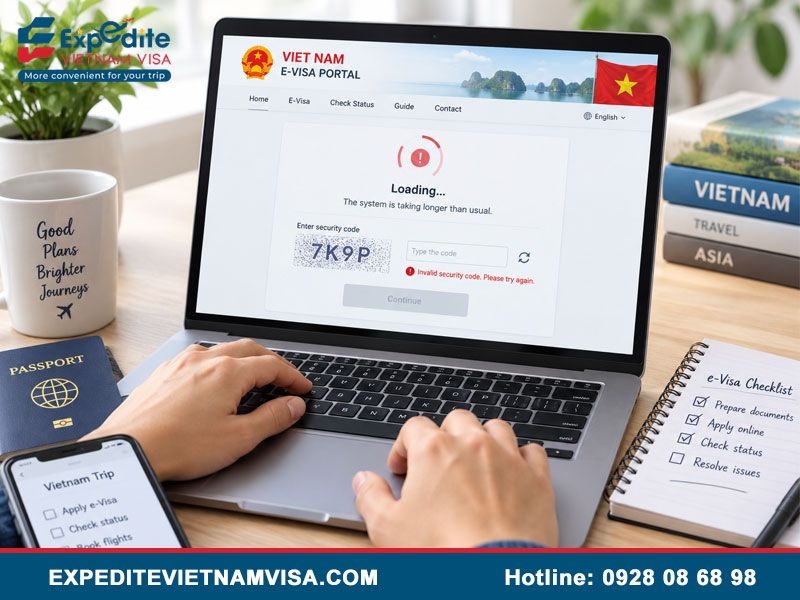
What Are the Current Official e-Visa Domains?
Since 8:00 a.m. on November 11, 2024, the Vietnam Electronic Visa Portal has operated through:
evisa.gov.vn
thithucdientu.gov.vn
Vietnam Immigration specifically directs applicants to these domains for submitting applications and checking results.
Older bookmarks may lead to a migration notice instead of the current application interface. That situation does not necessarily mean the entire visa system is unavailable.
How Can You Avoid Using an Outdated Link?
Open the government domain directly rather than relying on an old browser bookmark or a previously saved application page.
Travellers should also distinguish the official government portal from private visa assistance websites. The two types of websites serve different purposes and should not be treated as interchangeable.
Why Does the e-Visa Page Keep Loading or Freezing?
A page that loads slowly or stops responding does not automatically indicate a problem with the visa application itself.
Can the Browser Cause a Loading Problem?
Yes. An old browser session, cached website data or several open application tabs can interfere with the form.
Useful troubleshooting steps include:
Close duplicate portal tabs.
Open a fresh browser window.
Try a private or incognito window.
Use a current version of Chrome, Edge or Firefox.
Restart the browser before reopening the portal.
A laptop or desktop may also make long forms and image uploads easier to manage than a small mobile screen.
Should You Clear Cache and Cookies?
Clearing cached site data can help if an older session is preventing the current version of the portal from loading correctly.
Applicants researching a broader Vietnam visa website not working problem should first identify whether the error affects the whole portal or only one stage such as upload, payment or status lookup.
Why Is the Security Code Not Showing or Working?
The official application-status page requires a security code in addition to the application number, email and date of birth. The interface also provides an option to reload the security image.
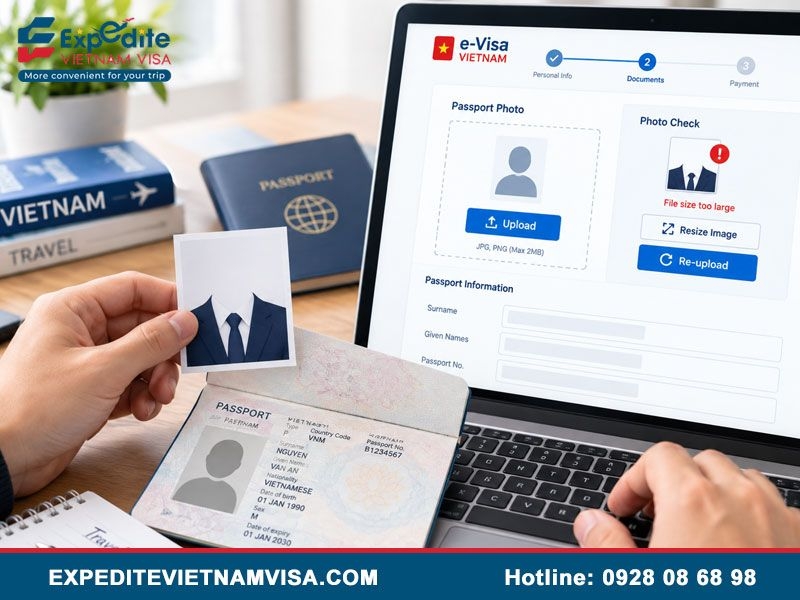
What Should You Do if the Security Image Does Not Appear?
First reload the security image rather than repeatedly submitting an empty field.
If the image still fails to appear:
Refresh the page once.
Open a new browser session.
Check the network connection.
Try another browser.
Return later if the page is temporarily unavailable.
Avoid repeatedly clicking the submission button because doing so does not solve a missing security image.
Can an Old Security Code Stop the Form?
If a code was generated earlier in the session, reload the image and enter the current code again.
This simple step can help distinguish a session issue from a broader portal problem.
Why Won’t the Website Upload a Passport or Portrait Image?
File requirements are one of the most important areas to check when an application appears to stop during document upload.
What Are the Official Image-Size Requirements?
The official instructions currently specify:
Portrait image: under 50KB
Passport data-page image: under 200KB
The same instructions require applicants to complete all fields marked with an asterisk before proceeding.
A file being under 2MB is therefore not sufficient if it exceeds the much smaller limits stated by the e-Visa system.
Should You Compress an Image That Is Too Large?
Yes, but image quality still matters.
The passport data page should remain readable after compression. Avoid heavy compression that makes the passport number, legal name or expiry date difficult to identify.
Why Can the Same File Keep Failing?
If the file is oversized, corrupted or not properly uploaded, repeatedly selecting the same file may reproduce the same result.
Prepare a new version that fits the required size and confirm that the upload is complete before continuing.
Why Can’t You Move to the Next Application Step?
Sometimes the website is functioning correctly, but the form cannot continue because required information is missing.
Which Fields Should You Review?
Check every required field carefully, particularly:
Surname and given name
Date of birth
Nationality
Passport number
Passport validity
Email
Requested visa period
Passport image
Portrait image
Official instructions require applicants to complete mandatory fields accurately before reviewing the application.
Applicants who have previously experienced repeated refusals may also want to review why Vietnam visa keeps getting denied rather than assuming that every failure to continue is only a website problem.
Why Is the e-Visa Payment Page Not Working?
Payment errors should be handled carefully because a failed screen does not always mean that the transaction was never recorded.
What Should You Check Before Paying Again?
Before retrying:
Check whether the card or account was charged.
Save any transaction reference.
Keep the electronic application number.
Check the application status.
Confirm whether another payment is actually required.
The official system processes e-Visa fees through its electronic payment gateway. The government fee is non-refundable when the visa is not granted.
Should You Immediately Create Another Application?
No.
First determine whether the original application and payment exist. Duplicate applications can make it harder to understand which case is currently active.
Why Can’t You Find Your e-Visa Application?
After successful submission, applicants should save the electronic application code because the official system uses that code for later status checks.
What Information Is Needed for Status Lookup?
The current official status page asks for:
e-Visa application number
Application email
Date of birth
Security code
If no result appears, compare the information with the original application and make sure copied codes do not contain extra spaces.
Does a Missing Search Result Mean Rejection?
No.
An unsuccessful search may result from incorrect lookup details, a security-code issue or a technical problem.
Travellers asking does Vietnam visa get rejected should distinguish a final immigration decision from a portal error or unsuccessful application lookup.
Is a Website Error the Same as a Visa Refusal?
No. Website behavior and immigration decisions are separate issues.
A loading error, failed CAPTCHA, unsuccessful upload or payment interruption does not by itself show that Vietnamese authorities refused the application.
The official status interface can display the application status, a denied reason when applicable, payment information and an Update option for certain cases.
This distinction is also important when reading claims about the Vietnam visa rejection rate because technical failures should not be counted as evidence that a visa application was refused.
Does a VPN Help the Vietnam e-Visa Website Work?
A VPN is not listed as an official requirement for submitting or checking a Vietnam e-Visa application.
Should You Disable an Active VPN?
If a VPN is already running, temporarily disabling it can be used as a general troubleshooting step to rule out routing or session conflicts.
Do not assume that connecting through a Vietnamese server is necessary for the government portal.
Should You Keep Changing Networks?
Try a different stable connection if the portal repeatedly times out.
For example, switching between home Wi-Fi and a reliable mobile hotspot may help determine whether the problem comes from the local network.
When Should You Contact Official Technical Support?
Basic troubleshooting is useful for browser and file problems, but some cases require direct technical assistance.
Contact support when:
The application repeatedly cannot be found.
Payment status does not match the transaction.
The portal returns the same technical error.
Upload problems continue after correcting file requirements.
The status function cannot be used with accurate information.
Prepare the application number, full name, passport number, nationality, email, screenshot and payment reference when relevant.
The current e-Visa status page lists [email protected] for service support and [email protected] for technical support.
How Can Expedite Vietnam Visa Help With Application Problems?
Expedite Vietnam Visa is a professional Vietnam E-Visa assistance provider supporting travellers who want a more reliable and structured way to prepare their applications. The service focuses on helping applicants check important information before submission and reduce avoidable errors during the online visa process.
Support can include reviewing passport details, name fields, uploaded images, travel information and overall application consistency. This is particularly useful for first-time applicants, travellers dealing with repeated form problems or anyone who is uncertain whether the difficulty comes from the government portal or the application itself.
For travellers with an approaching departure date, Expedite Vietnam Visa also offers the Urgent Vietnam Visa Service, providing assistance based on the applicant’s travel schedule and current case situation.
With a focus on careful application preparation, responsive support and clear guidance, Expedite Vietnam Visa helps travellers manage the Vietnam E-Visa process with greater confidence. The service provides application assistance and review, while final visa issuance and immigration decisions remain with the relevant Vietnamese authorities.
Frequently Asked Questions About e-Visa Website Problems
What Is the Official Vietnam e-Visa Website?
Vietnam Immigration currently directs applicants to evisa.gov.vn and thithucdientu.gov.vn.
Why Is My Security Code Not Showing?
Reload the security image, refresh the session or try another browser before assuming the entire portal is unavailable.
Why Won’t My Passport Image Upload?
Check the official size requirement first. The passport image should be under 200KB, while the portrait should be under 50KB.
Should I Apply Again if Payment Fails?
Not immediately. First check whether the original application exists and whether the payment was recorded.
Do I Need a VPN?
No official guidance requires a VPN to use the Vietnam e-Visa portal.
Does a Technical Error Mean My Visa Was Refused?
No. Confirm the result through the official application-status system rather than treating a technical failure as an immigration decision.
Contact Expedite Vietnam Visa
Email: [email protected]
US phone: +1 (972) 666-0676
Vietnam phone: +84 928 08 68 98
WhatsApp: +84 928 08 68 98
Website: https://expeditevietnamvisa.com/
Head Office:
1900 Jay Ell Drive, Richardson, TX 75081, United States
Branch Office:
4000 North O Street, Fort Smith, AR 72904, United States
Representative Office:
56 Nguyen Cu Trinh Street, District 1, Ho Chi Minh City, Vietnam
- Categories:
- Blogs

Over the past 23 years in the travel service industry, the growth and success of TRANSOCEAN have stemmed not only from the dedication of our well-trained, enthusiastic, and customer-oriented staff, but also from the exceptional leadership of our Founder and CEO, Mr. STANLEY HO. With more than 20 years of experience in the travel and tourism sector, Mr. STANLEY HO possesses profound knowledge of the market, customer behavior, and modern travel trends. His strategic vision has guided the company toward sustainable growth while maintaining a strong commitment to service quality.